 by
by A few months back, my cousin sent me a WhatsApp message asking if she could just “pay me back for the concert tickets right there in the chat.” She’s originally from Brazil, and apparently over there, sending money through WhatsApp is as normal as sending a voice note. She genuinely thought I was joking when I told her that doesn’t really work the same way here in the States.
That conversation sent me down a rabbit hole. I ended up testing WhatsApp’s payment-related features on my own phone for about two weeks — poking around Business accounts, catalog checkouts, payment links, the whole thing — trying to figure out exactly what a U.S.-based user can and can’t do when it comes to credit cards inside WhatsApp.
Short answer: it’s not what you’d expect, and it’s definitely not what my cousin was picturing.
The Confusing Part: WhatsApp Pay Isn’t a US Thing
Here’s where most of the confusion starts. WhatsApp does have a built-in payments feature called WhatsApp Pay. If you’re in India or Brazil, you can link a debit or credit card straight to your WhatsApp account and send money to friends the same way you’d send a photo.
I have not been able to set that up in the U.S., and neither has anyone I know here. That’s because Meta (WhatsApp’s parent company) has only rolled that feature out in those two markets. There’s been talk over the years about bringing something similar stateside — I found old reports from 2021 mentioning a possible tie-in with Meta’s now-defunct Novi digital wallet — but as of right now, there’s no native “send $20 to Dave via WhatsApp using your Visa card” button for U.S. accounts.
So if you’re a U.S. user opening WhatsApp settings and hunting for a “Payments” tab hoping to link your card like a Venmo or Cash App, you’re going to come up empty. I spent a solid ten minutes tapping through every menu on my Android before accepting that it just isn’t there.
So What CAN You Actually Do With a Credit Card on WhatsApp?
This is where it gets a little more interesting, because there ARE legitimate ways credit cards show up in WhatsApp conversations for American users — just not through a native peer-to-peer wallet.
1. Paying a Business Through a Chat-Linked Checkout
A lot of small businesses in the U.S. now run WhatsApp Business accounts, and some of them use tools like Meta’s in-app catalog combined with payment links from services such as Stripe, Square, or PayPal.
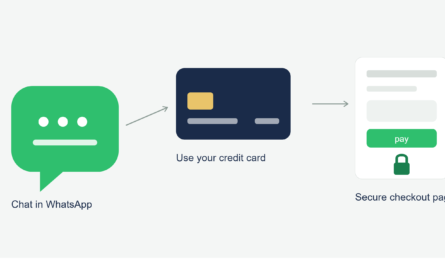
Here’s what that actually looks like in practice. I ordered a custom candle from a small Etsy-adjacent seller who runs her whole shop through WhatsApp Business. She sent me a product catalog right in the chat, I picked what I wanted, and then she dropped a Stripe checkout link into the conversation. I tapped it, it opened a secure payment page outside of WhatsApp, and I entered my credit card there.
So technically — yes, I used a credit card “with” WhatsApp. But the actual card transaction happened on a separate, secured page, not inside the app itself. WhatsApp was just the middleman for the conversation and the link.
2. WhatsApp Business API Integrations
Bigger companies sometimes use the WhatsApp Business Platform (the official API, not the free app) to run order confirmations, appointment payments, or subscription renewals. If you’ve ever gotten a WhatsApp message from an airline or a delivery service with a “Pay Now” button, that’s usually this in action.
Again, the card details are processed through a payment gateway connected to that business, not stored by WhatsApp itself.
3. Meta Pay for U.S. Businesses (Limited Rollout)
Meta has been quietly testing checkout features tied to Meta Pay for select U.S. businesses on Facebook and Instagram, and some of that overlaps with WhatsApp Business tools since they all share Meta’s backend. I’ve seen a handful of merchants mention it, but it’s nowhere near universal yet, and most small U.S. sellers I’ve interacted with are still just sending Stripe or Square links manually.
My Honest Mistake (Don’t Do This)
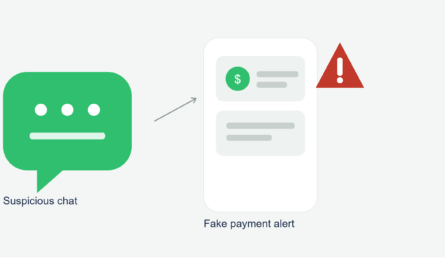
Okay, confession time. During my testing phase, I got a message on WhatsApp from what looked like a “verified” seller account claiming to be a well-known electronics reseller. They asked me to send my credit card number directly in the chat to “process a discount code” for a pair of headphones.
I almost did it. I had my card sitting right next to my laptop and everything.
What stopped me was remembering something basic: no legitimate business asks you to type your full card number into a text chat. Not through WhatsApp, not through iMessage, not through email. Real transactions route through an actual payment page with encryption — one where you can see “https” and a padlock icon in the browser bar.
I blocked and reported that account. A week later, a friend of mine mentioned almost falling for the identical scam, word for word. So this isn’t rare — it’s a pattern scammers are running specifically because people assume WhatsApp is “safe” simply because it’s encrypted.
Encryption protects your messages from being read by outsiders. It does absolutely nothing to protect you if you willingly type your card number into a conversation with a stranger.
Step-by-Step: How to Safely Pay a Business on WhatsApp
If you’re buying something from a small business that operates through WhatsApp (which is genuinely common now, especially with home bakers, boutique sellers, and local service providers), here’s the safer way to go about it:
- Confirm the business is legitimate. Check if they have a “Business Account” badge, a real website, or reviews you can find outside of WhatsApp itself.
- Ask for a proper checkout link. Legit sellers will usually send you a Stripe, Square, Shopify, or PayPal link rather than asking for card details directly in text.
- Look at the URL before entering anything. Make sure it starts with “https://” and matches a recognizable payment processor domain, not some random shortened link.
- Use a credit card, not a debit card, for small business purchases. Credit cards generally offer stronger fraud protection and dispute options if something goes sideways.
- Never send a photo of your card or type the full number into the chat box. If someone asks you to do that, treat it as an immediate red flag.
- Check your statement afterward. I always glance at my card activity within a day or two of any small-business WhatsApp purchase, just to make sure nothing weird shows up.
A Real Example That Went Right
Not everything I tried was sketchy, though. I bought a set of hand-painted mugs from a woman running a tiny pottery business out of her garage, entirely coordinated through WhatsApp. She sent pictures, I picked two mugs, and she used a simple Square invoice link. I paid with my card on Square’s actual payment page, got a receipt by email, and the mugs showed up four days later exactly as described.
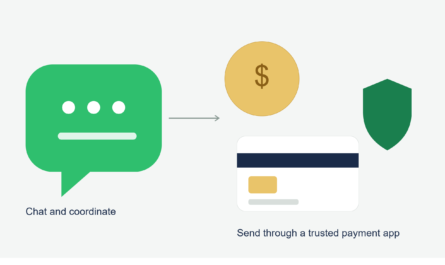
That’s honestly the experience most people should expect: WhatsApp as the messaging layer, and a separate trusted service handling the actual money part.
Common Mistakes People Make
- Assuming WhatsApp works like it does in Brazil or India. It doesn’t, at least not yet, for U.S. accounts.
- Typing card numbers directly into chat because it feels “quick.” It’s quick for scammers too.
- Not checking whether a link is a real payment processor before entering card info.
- Confusing WhatsApp Business (the free app small sellers use) with the WhatsApp Business Platform (the paid API bigger companies use). They look similar from the customer side but work very differently behind the scenes.
- Ignoring gut instinct. If a deal or discount code request feels off, it usually is.
Where Things Might Be Headed
Meta has expanded shopping and payment features pretty aggressively in markets like India and Brazil over the last couple of years, including newer options letting Indian users pay with credit cards directly inside chats. Given how much Meta likes squeezing commerce into its apps, it wouldn’t shock me if something similar eventually lands in the U.S. But there’s no official timeline for that, and I’d take any rumor about it with a grain of salt until Meta actually announces it.
For now, if you’re in the U.S. and someone tells you WhatsApp has a built-in wallet you can just plug a credit card into, you can politely let them know that’s not quite how it works over here — at least not yet.
If you’re running a small business yourself and thinking about setting up WhatsApp for customer orders, pairing it with a proper payment link tool like Stripe or Square is really the way to go. It keeps things simple for your customers and keeps you from ever having to touch their card numbers directly, which honestly makes life easier for everyone involved.